
COCORO Walkthrough (Spoiler-Light)
How to read a linear visual novel: saves, chapters 1–8, skip, and where the demo stops.
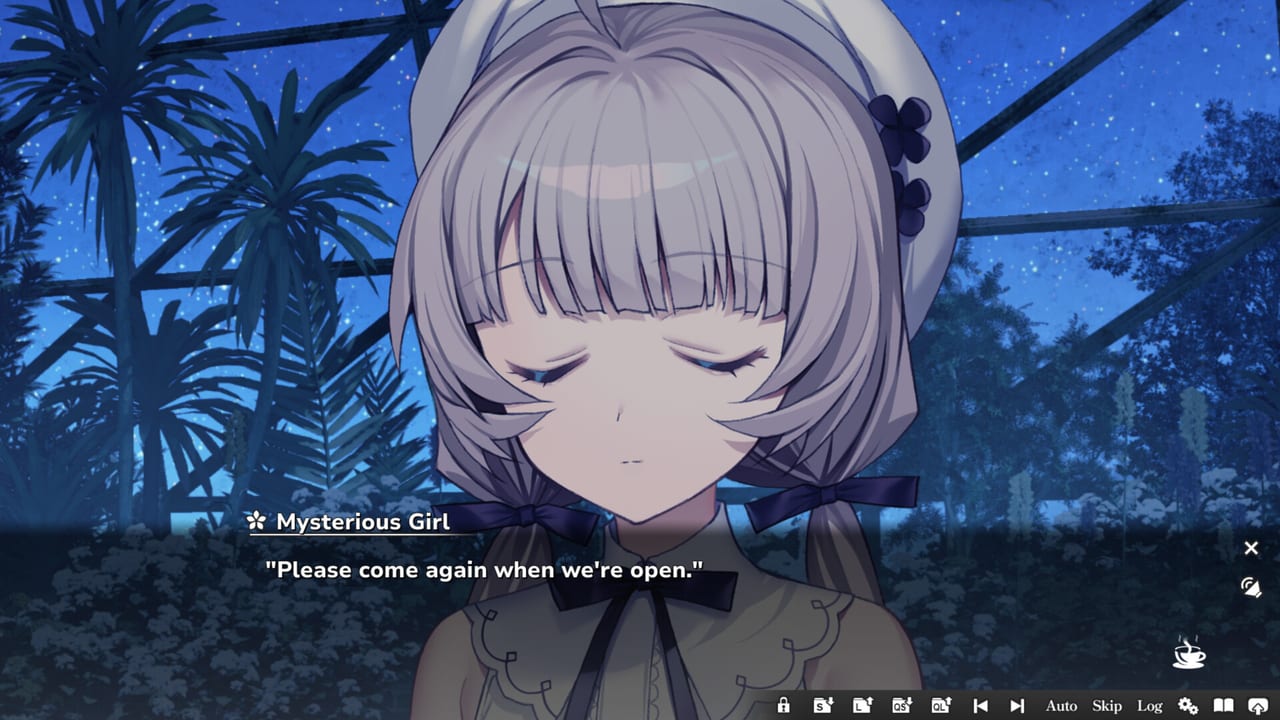
This is a spoiler-light orientation for COCORO, not a scene transcript. Frontwing built a single-player linear visual novel with one heroine focus, save-anytime, and no timed input. You cannot fail a correct-choice check because the public design is not a branching route map. What you can mess up is your own reading: skipping unread text, overwriting the only save, or opening an endings page three chapters early.
If you have not installed yet, use the beginner install and language guide or play the Steam opening demo first. Return here when the text box is on screen.
How a linear visual novel is meant to be read
Click, tap, or press confirm to advance. Auto-play will wait on voices if you leave that option on; skip will race through lines you have already seen if you configured it that way on the settings and skip-behavior page. On a first pass, read at voice speed when Japanese audio is on. Hinata is unvoiced; Cocoro, Kazane, the Amai siblings, Kirika, and Murakumo are not. Let voiced lines land before you mash through them.
You are in Tsukumo after the Calamity, in and around a botanical garden, with a prototype humanoid who still believes a promised fiancé returns when the summer snows bloom. Cast names without plot are on the character roster and Cocoro’s CCR-01 page. Do not search chapter titles hoping for a shortcut.
Expected length is about five hours and twenty-three minutes. That number moves with auto-play, rereads, and how long you linger on Akio Watanabe’s CGs. Budget an evening from the playtime range article rather than from a forum screenshot.
Save slots that protect a five-hour story
Save at any time. Do it anyway at three moments: when you sit down, when a chapter heading appears, and when you walk away from the PC or Deck. Keep at least two slots so a Cloud conflict or a misclick cannot erase the sitting. Steam Cloud is supported on the full app; confirm it is enabled if you read on a Verified Steam Deck and a Windows 11 desktop in the same week.
You do not need a save per imagined ending. You are not collecting routes. Extra slots are for life getting in the way, not for a flowchart you will never fill in. If you only remember one habit from this walkthrough, make it this one: never rely on a single file for a story this short and this easy to overwrite.
Chapters 1–8 and the achievement list
Steam publishes twelve achievements. The named ones are First Launch, Change Language, and Complete Chapter 1 through Complete Chapter 8. Two further trophies are unlisted; this wiki does not invent names or conditions for them. Complete Chapter n is the orientation this page will give you: the story is partitioned into eight chapters, and Steam will toast you when a chapter completes.
You do not have to play in a special mode to get those eight. Play the linear route. If a toast does not appear, finish the chapter’s last scene before assuming a bug—then check the achievement tracking page. First Launch and Change Language are setup trophies from the very first boot and options menu, not chapter puzzles and not demo-only chores.
There is no public branching list, no named ending catalog in this article, and no recommended choice order, because that would contradict how the game is sold. If you finished the credits and still have questions, open the endings notes written after the fact. If you have not, stay here.
Skip, auto-play, and when to slow down
Use skip on a reread, on the opening movie after you have heard Signal, or on a voice line you already let play. Do not skip unread text on a first clear unless you are recovering from a crash in a scene you just watched. Auto-play is for food-in-hand sessions and for Deck reading in a noisy space; pair it with a readable font size.
If a scene feels like a natural pause—garden shots, y.ish backgrounds, Fuminori Matsumoto’s music—let it. The walkthrough’s job is not to hurry you to chapter 8. The review of writing, art, and tone exists if you are deciding whether that pause is for you. All-ages tagging still includes moderate violence, romance, and swimsuit or kiss scenes; none of those require a separate route to reach.
Where the demo stops and the full game continues
The 20 August Steam demo (app 5069120) covers the opening only: enough to meet Cocoro in the garden and to test UI language. It is not chapters 1 through 8. Dates and store copy live in the demo announcement recap. How to download it is on the Steam demo instructions. The paid client (app 4650950, $24.90 with 20 percent off through 7 September 2026) is the rest of the linear story, the remaining Complete Chapter trophies, and the ending sequence you should reach yourself.
Do not expect a demo save to stand in for a full-game chapter file. Start a new save in the paid app and keep the demo install only if you want to show someone the opening. The full game launched 27 August 2026 JST (26 August on some Steam pages) on Windows 11 with Cloud saves and Steam Deck Verified status.
Endings, review, and staying spoiler-aware
When you want studio context, trailers, or storefronts, use Frontwing’s official link list. When you want the 26 versus 27 August storefront split, use the launch date recap. Low-end PCs should confirm Windows 11 and RAM floors before a late-night chapter binge.
This spoiler-light walkthrough page will not grow a choice table later. If a dropdown sent you here looking for every COCORO article, climb back to the parent guides hub. Finish Tsukumo’s summer at click speed. Look up trophies when a chapter completes. Look up endings after the credits, not before the flowers bloom on your screen.
Frequently Asked Questions
Quick answers for first-time readers of COCORO.
Does COCORO have multiple routes or named endings I should hunt?
Steam tags it as a linear, one-heroine story. This walkthrough does not list branching routes, choice orders, or named endings. Read the endings page only after the credits if you still have questions.
When should I use skip in COCORO?
On a reread, after you have heard the opening theme, or when recovering a scene you already watched. Leave skip off for unread lines on a first pass so voiced performances are not clipped.
How do the chapter achievements work?
Steam awards Complete Chapter 1 through Complete Chapter 8 as you finish each chapter of the linear route. First Launch and Change Language are setup trophies. Two more achievements are unlisted and unnamed here.
Will this walkthrough spoil the plot?
No chapter plot summaries, no choice lists, and no ending names. You get reading habits, save advice, trophy structure, skip guidance, and where the demo stops.
What does the demo cover compared with this walkthrough?
The Steam demo is the opening only. This page tells you how to read the full eight-chapter route. Download steps live on the demo guide; do not treat a demo save as a full-game chapter file.
How many save slots should I keep?
At least two: one at the start of a sitting and one before you quit. Add a slot when a chapter heading appears. You do not need a slot per imagined ending.